

Documentation Index
Fetch the complete documentation index at: https://akua-1dce587a.mintlify.app/llms.txt
Use this file to discover all available pages before exploring further.


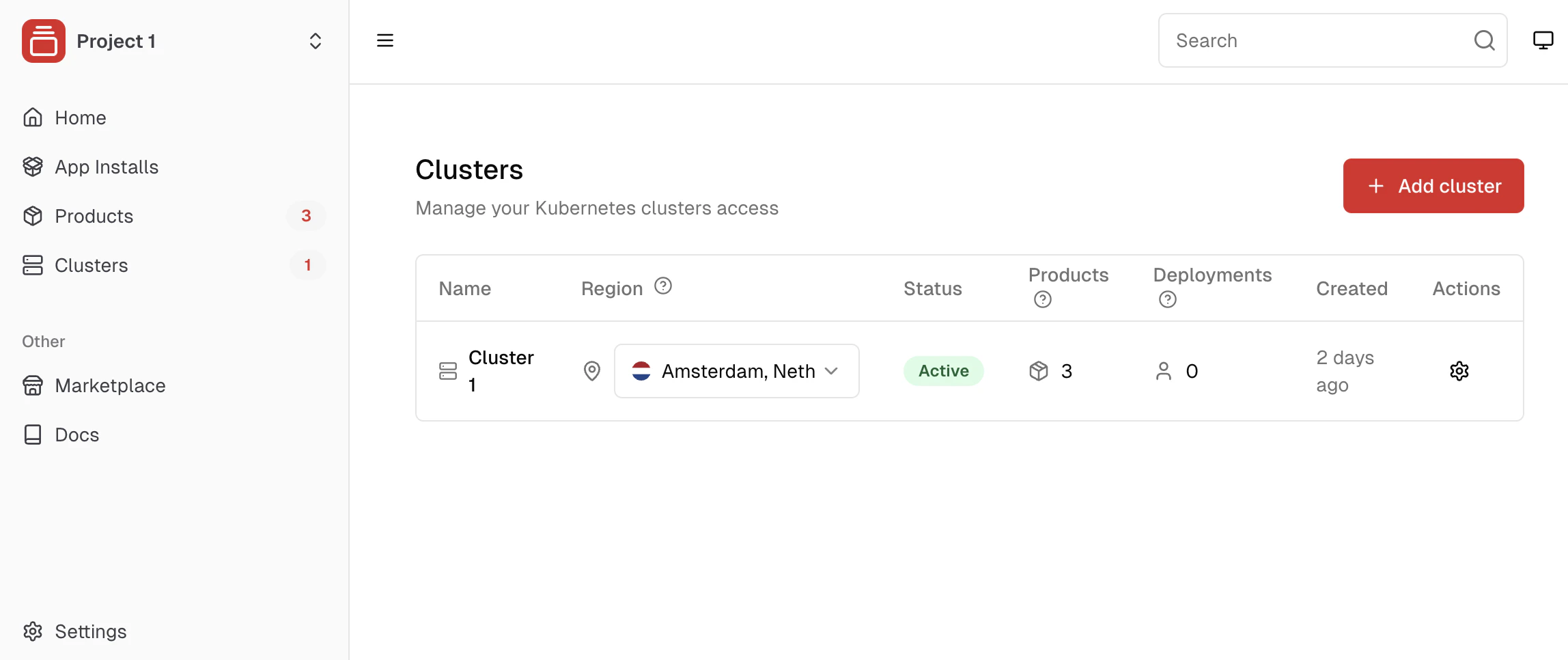
Choosing your cluster type
Akua offers two ways to set up your clusters: managed clusters where Akua handles all Kubernetes operations, or imported clusters where you bring your existing Kubernetes infrastructure. Both approaches let you deploy applications for your team, sell products to customers, and host your software, but managed clusters remove the operational complexity of running Kubernetes yourself.Managed clusters
Managed clusters are fully provisioned and maintained by Akua. Akua’s provides fully managed infrastructure where Akua manages the control plane and handles all Kubernetes operations on your workers, while you maintain control over your infrastructure choices and billing. You add your own workers to the cluster, and Akua handles joining, configuring, and maintaining them. This option is ideal for most users who want to focus on building and selling software without the operational overhead of managing Kubernetes.Why is control plane management so difficult?
Why is control plane management so difficult?
Managing a Kubernetes control plane requires expertise in multiple complex areas. You need to handle certificate management and rotation to keep your cluster secure, manage etcd cluster operations including backup and recovery to protect your data, configure the API server with proper security settings, tune the controller manager and scheduler for optimal performance, set up network policies and CNI configuration for proper networking, and establish monitoring, logging, and observability to track cluster health.The control plane also needs dedicated infrastructure including an extra IP address, load balancing, and failover mechanisms to ensure high availability. All of this is infrastructure complexity that stands between you and running your applications.Akua handles all of this for you, so you can focus on building and selling software instead of managing infrastructure operations.
Infrastructure management
Infrastructure management
- Zero operational overhead - Akua manages the control plane
- Automated provisioning - Get from zero to production-ready cluster in minutes
- Self-healing infrastructure - Automatic recovery from component failures
- 24/7 monitoring - Proactive issue detection and resolution
- Automatic updates - Security patches and Kubernetes version upgrades handled for you
Reliability and security
Reliability and security
- Security hardening - Built-in security best practices and regular updates
- High availability - Multi-zone control plane for maximum uptime
Business benefits
Business benefits
- Multi-cloud support - Use any provider or mix providers
- Streamlined onboarding - Developer-friendly experience reduces time-to-market
- Cost optimization - Pay only for compute resources you actually use
- Seamless scaling - Add or remove workers as your needs change
Imported clusters
Imported clusters allow you to connect your existing Kubernetes infrastructure from any provider (EKS, GKE, AKS, self-managed, or others). This is suitable if you already have an investment in Kubernetes, require specific custom configurations, or prefer to maintain your current cluster management approach.- Any Kubernetes cluster - EKS, GKE, AKS, self-managed, or others
- Cluster management - Control plane and worker operations are managed by your cloud provider or yourself, depending on your cluster type
- Akua handles product deployments - Akua deploys products to your imported cluster, but cluster operations remain outside Akua’s management
- Existing investment - Leverage current Kubernetes infrastructure
KaaS integrates with all other Akua features including marketplace deployment, user management, billing, and monitoring. It’s designed to provide a complete platform experience rather than just infrastructure.
How clusters work with products
Akua automatically handles product deployments when customers complete purchases. The platform synchronizes your product’s Helm chart resources with the destination cluster based on the customer’s selected region. Each product deployment gets its own dedicated to avoid conflicting resources and provide security and isolation between different customer deployments. When deployments fail or customers cancel, Akua automatically cleans up all associated resources to keep your infrastructure tidy.Resource strategy: Use shared clusters when you control the software. For customers running custom code (container images, game server plugins), use dedicated machines or clusters. Alternatively, use container runtimes like gVisor or Firecracker VMs for stronger isolation without creating new clusters.
Cluster suspension
Managed clusters with no attached compute are automatically suspended to save resources. When suspended, the cluster’s control plane is paused — it consumes no compute resources but all configuration, certificates, and state are preserved on disk.What happens during suspension
- The control plane stops running (no API server, no scheduler)
- All cluster data is preserved — nothing is deleted
- The cluster appears as Suspended in your dashboard
- You are not charged for control plane compute while suspended
Suspending a cluster
Suspend a running cluster from the dashboard, or call the suspend endpoint from the API. A cluster can only be suspended when it has no active machines — delete or suspend its machines first.Resuming a cluster
When you request a machine for a suspended cluster, Akua resumes the cluster automatically before provisioning, which takes about 15–25 seconds. You can also resume a cluster manually from the dashboard or the resume endpoint.Auto-suspend
Free-tier clusters are automatically suspended when all of these conditions are true:- No Akua-managed machines attached to the cluster
- No healthy worker nodes in the cluster (nodes disconnected for more than 15 minutes are considered inactive)
Suspension preserves everything about your cluster: installed applications, RBAC rules, secrets, and configuration. When you resume the cluster, it picks up exactly where it left off.
Related topics
Create a managed cluster
Set up a managed cluster.
Add workers
Connect compute capacity to your cluster.
Import a cluster
Connect your Kubernetes infrastructure.
Workspaces
Organize your clusters and products.